I’m watching Google update its advertising policy to make clearer how certain ads are limited while the company estimates a user’s age. The change gives advertisers more transparency as Google expands its age assurance technology worldwide.
What I’m seeing: Google has renamed its Default Ads Treatment policy to “Categories restricted while Google is estimating a user’s age.” To me, that wording matters because it makes the policy sound less like a permanent restriction and more like a temporary safeguard while Google’s systems work out whether a user is old enough to see certain types of ads.
What’s changing: I see three main updates here: the policy has a clearer name, the language now emphasizes that these protections are interim measures during the age estimation process, and enforcement remains unchanged.
What’s different: Google has also narrowed the list of ad categories restricted while a user’s age is being estimated. Previously, the restricted categories included adult content and pornography, alcohol, gambling, and shocking content.
Under the updated policy, I now see only three restricted categories: adult content and pornography, alcohol, and gambling. Shocking content no longer appears on that restricted list.
Why I care: This update does not introduce new advertising restrictions, but it does make the policy easier to understand. For advertisers in affected verticals, the key takeaway is that these limits are tied to Google’s age estimation process, not a broader or permanent policy shift.
The bottom line: I do not see any operational change for advertisers, but Google’s updated policy makes it much clearer that restrictions on adult, alcohol, and gambling ads are temporary safeguards while a user’s age is being estimated.
I’m seeing Google Ads roll out a redesigned All Campaigns selector, and the goal is clear: make it easier to move through large, complicated account structures without wasting time hunting for the right campaign.
What’s happening is that Google is refreshing the All Campaigns selector across Google Ads with a cleaner layout and better navigation tools. For advertisers who manage bigger accounts, this should make day-to-day campaign work feel more organized.
The selector has also been moved to a new location in the interface, which means I’d expect some advertisers to need a short adjustment period before the new placement feels familiar.
The biggest improvement I notice is the new expandable hierarchy view. Campaigns now appear in a structure that makes campaign groups and nested setups easier to browse, especially when an account has grown beyond a simple list of campaigns.
Google has also added search inside the selector, which should help advertisers quickly find specific campaigns or campaign groups instead of manually scanning through long account lists.
Why I care: this update could save meaningful time for anyone managing large Google Ads accounts. When campaigns are split across multiple groups or complex organisational structures, faster navigation can make daily optimization work less frustrating.
The bottom line is that Google’s redesigned All Campaigns selector is meant to streamline campaign management with a clearer hierarchy and built-in search, helping advertisers navigate complex accounts more efficiently.
The update was first spotted by performance marketer Vivek Gupta on LinkedIn. Since the rollout is gradual, I would not expect it to be available in every Google Ads account immediately.
I see Google rolling out new Agency Admin and Standard roles in Merchant Center for Agencies, giving agencies a more centralized way to control client access while improving security and day-to-day efficiency.
What is new: I can now look at client access differently because clients are linked directly to an agency instead of being tied to individual users. That makes it easier to manage permissions from one place, especially when team members join, move roles, or leave.
I also see custom labels becoming a useful part of this update. Agency Admins can organize client accounts by brand, business vertical, internal team, or another structure that fits how the agency works.
Those labels can then be used to give Standard users access to groups of accounts in bulk. For me, that is the practical improvement: agencies no longer need to configure access one account at a time when the same permission logic applies across multiple clients.
Why I care: Agencies managing several Merchant Center accounts have often had to depend on user-level permissions, which can make onboarding, offboarding, and account management more cumbersome than they need to be. This role-based structure moves client management to the agency level, which should reduce administrative work and strengthen access controls.
How it works: Agency Admins get full administrative privileges inside the Merchant Center agency account. In that role, I can link and unlink clients’ Merchant Center accounts, add or remove Standard users, modify Standard users, manage their access to client accounts, and create custom labels for organizing clients.
Standard users receive more limited permissions, which helps agencies follow stronger security practices. I see this as a way to make sure team members only access the client accounts they actually need.
Bottom line: For agencies managing large client portfolios, I expect centralized client linking, bulk access management, and customizable account labels to reduce manual work while making Merchant Center administration more secure and scalable.
I’m seeing an important shift for Standard Shopping campaigns: Google is bringing Maximize Conversion Value bidding to these campaigns without requiring a Target ROAS. That gives advertisers more room to pursue value-based optimization without immediately being locked into a specific return target.
What’s happening. Google is rolling out Maximize Conversion Value bidding for Standard Shopping campaigns, and advertisers no longer have to set a Target ROAS to use it.
Before this update, if I wanted to optimize around conversion value in Standard Shopping, I generally had to use a Target ROAS bidding strategy. Now, this new option lets campaigns focus on maximizing conversion value while giving Google’s bidding system more flexibility to find the highest-value opportunities.
Why I care. This matters because I can now use Google’s value-based bidding in Standard Shopping without being constrained by a Target ROAS goal. That gives me more flexibility while preserving the control and transparency that many advertisers still prefer in Standard Shopping campaigns.
It may also reduce the need to run feed-only Performance Max campaigns just to access Maximize Conversion Value bidding. For advertisers who prefer tighter campaign control, that is a meaningful change.
Between the lines. I know many advertisers have continued to favour Standard Shopping because it offers more visibility and control than Performance Max. But when they wanted flexible value-based bidding, they often created feed-only Performance Max campaigns as a workaround.
With this update, that workaround may no longer be necessary for some accounts.
Why advertisers should care. I can now combine the structure and transparency of Standard Shopping with a more flexible automated bidding strategy. In practical terms, this could simplify campaign setups, reduce unnecessary Performance Max usage, and make account management cleaner.
The bottom line. Google is narrowing one of the biggest feature gaps between Standard Shopping and Performance Max. For me, this gives advertisers another reason to keep using Standard Shopping while still benefiting from automated value-based bidding.
First spotted. Performance marketer Yash Mandlesha spotted the update and shared the option on LinkedIn.
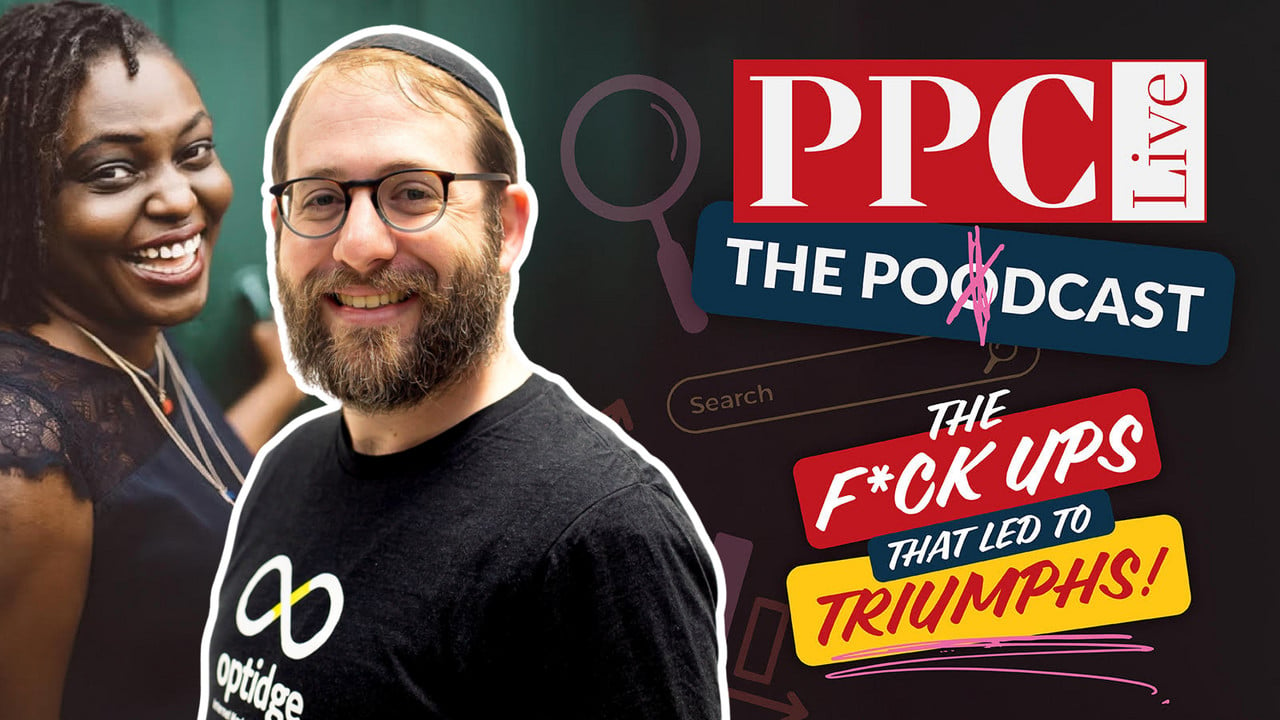
I think every PPC professional has at least one mistake they wish they could erase. For Danny Gavin, founder of Optidge, it was not a failed bidding strategy, a blown budget, or a campaign that never found its footing. It was something much simpler, and in many ways, much more painful.
When Danny joined me on PPC Live The Podcast, he shared the story of a technical issue that kept landing page leads from reaching the client. For one to two months, the campaigns were still generating qualified prospects, but the client believed nothing was working because those enquiries never appeared in their inbox.
The mistake that no one spotted
At the time, Danny’s agency was still small, with only a handful of people managing client accounts. One client, an autism therapy provider, appeared to be getting strong results inside Google Ads.
Clicks were rising. Cost per lead looked healthy. From inside the ad platform, everything pointed to success.
But the client was growing more frustrated because no enquiries were coming through.
The problem was not Google Ads.
It was not the landing page.
It was the email notification system.
Every form submission was being stored correctly in the database, but a technical failure stopped the notification emails from reaching the client. Because neither side realized those emails had failed, the issue went unnoticed for weeks.
By the time the problem was found, dozens of leads had already gone cold.
Why the emotional impact was worse than the technical problem
What stood out to me was that the financial loss was not the part Danny remembered most. The harder part was the feeling that his agency had let the client down. Because he knew the client personally, the mistake felt even more personal.
His team had spent weeks reporting positive campaign performance while the client saw no return from their investment. That disconnect created guilt, regret, and a real sense of helplessness.
As Danny explained it, the agency felt as if it had taken the client’s money without delivering value, even though the campaigns themselves were actually working.
Honesty became the first step
Once the problem became clear, Danny did not try to hide it. His view is straightforward: when mistakes happen, honesty is the only response that gives you any chance of repairing trust.
Instead of making excuses, the agency investigated immediately, exported every lead stored in the database, and gave the client everything they could recover. Many of those opportunities had already gone cold, but at least the client had access to the data that still existed.
From there, the focus had to move from blame to prevention.
Building systems that stop the same mistake happening twice
That experience changed the agency’s processes in a lasting way.
Instead of relying on one notification email, Danny’s team introduced multiple safeguards:
CC’ing the agency on every lead notification.
Automatically logging every lead into a shared Google Sheet.
Testing forms regularly to confirm submissions and notifications both work.
Checking with clients routinely to confirm leads are actually being received.
Those checks are now part of the agency’s standard operating procedures. They are no longer assumptions about technology working in the background.
Why communication matters as much as optimisation
Looking back, Danny sees the technical failure as only part of the issue. Communication failed too. No one had asked the simple question: “Are you actually receiving the leads?”
Today, communication is one of Optidge’s core values.
Rather than expecting PPC specialists to manage constant client communication while also running campaigns, the agency brought in dedicated account managers whose primary role is to keep clients informed.
The lesson I took from this is simple: campaign metrics alone do not define success.
Success only happens when the client experiences the results you are reporting.
Sometimes clients remember how you responded
At first, the relationship with the client ended. Danny assumed the mistake had permanently damaged the trust they had built.
Years later, though, that same client reached out again about potentially working together. In her email, she described Optidge as the most professional agency she had worked with. For Danny, it was a reminder that clients do not forget mistakes, but they also remember how agencies respond to them.
Transparency, professionalism, and a genuine effort to improve can leave a stronger impression than perfection.
Common PPC mistakes Danny still sees today
Although this happened years ago, Danny still sees agencies making similar mistakes today.
One of the biggest is focusing only on traffic instead of business outcomes. Sending visitors to a page is no longer enough.
Strong lead generation requires understanding what happens after someone clicks.
When Danny audits accounts, he often finds agencies failing to:
Feed qualified lead data back into advertising platforms.
Review search terms thoroughly and maintain negative keywords.
Build landing pages that match campaign intent.
Measure lead quality instead of simply counting conversions.
Without those fundamentals, campaign optimisation is based on incomplete information.
Where AI is genuinely helping lead generation
Danny believes AI has real potential in lead generation, but not always in the way marketers expect.
One of the most useful opportunities is phone call analysis.
Instead of manually listening to every conversation, AI can now help agencies:
Generate call transcripts.
Categorise calls by quality.
Identify whether a call became a genuine sales opportunity.
Feed qualified conversion data back into Google Ads.
That makes it possible to optimise around real business outcomes instead of surface-level metrics.
Why AI still needs human oversight
Even though Danny is using AI, he does not treat it as an infallible system.
Like automation inside advertising platforms, AI can make mistakes, miss context, and confidently reach the wrong conclusion.
For industries with strict privacy requirements, such as healthcare, AI may not be appropriate for handling sensitive customer information at all.
His advice is to trust AI enough to improve efficiency, but always verify the work.
Human expertise still matters.
The biggest lesson
I do not think any PPC professional can avoid mistakes completely.
What defines a strong agency is how it responds when something goes wrong.
That means being honest, fixing the immediate problem, building safeguards, and making sure the same issue does not happen again.
As Danny puts it, a mistake only becomes valuable when you have genuinely learned from it.
I’m seeing Google roll out a new set of Demand Gen updates designed to help advertisers improve creative performance, reach more potential customers across YouTube, and measure campaign results with more clarity.
For me, the bigger story is that Demand Gen is becoming less about manually adapting assets and more about using AI-assisted tools to make creative work harder across Google’s most visual surfaces.
Demand Gen campaigns are built to drive discovery and conversions across Google’s visual placements. With these latest updates, I see Google trying to reduce creative friction while giving advertisers better visibility into what is actually moving performance.
Google says the enhancements arrive as YouTube continues to show value for customer acquisition. The company cited research from Measured showing that 72% of incremental conversions on YouTube come from new customers.
What’s new. I’m watching Demand Gen add expanded video resizing capabilities, giving advertisers the ability to automatically transform creative into more aspect ratios, including vertical-to-square, vertical-to-landscape, and square-to-landscape formats.
That matters because it should make it easier to adapt existing creative for different YouTube placements without having to produce every version manually from scratch.
Why I care. Expanded video resizing can help existing assets fit more YouTube inventory, Gemini can provide AI-powered recommendations before launch, and new web-to-app measurement can give marketers a clearer view of how Demand Gen campaigns influence app installs and return on ad spend.
Gemini joins the creative workflow. Google is also bringing Gemini-powered recommendations directly into the Demand Gen campaign creation process, which makes AI guidance part of the asset selection workflow instead of a separate optimization step.
When advertisers choose image and video assets, Gemini will offer automated suggestions for optimizing creative for YouTube. I see this as a way for marketers to improve asset choices before campaigns go live, rather than waiting for performance data after launch.
Better app measurement. Demand Gen now includes Web to App Acquisition Measurement, allowing advertisers to measure when web campaigns lead users to install an app.
The new reporting gives me a more complete way to evaluate campaign performance because it attributes app installs generated through Demand Gen campaigns. That should help advertisers better understand the full impact of their media spend.
The bottom line. I see Google’s latest Demand Gen updates as a practical combination of AI-powered creative guidance, more flexible video optimization, and broader measurement tools that can help advertisers improve performance while gaining clearer insight into customer acquisition.
I see Google’s latest Google Ads API change as another clear move away from legacy automation and toward newer AI-driven campaign types, especially Performance Max.
Beginning August 3, 2026, Google says developers will no longer be able to create new Smart Campaigns through the Google Ads API. For me, the key detail is that this change is about new campaign creation only.
Existing Smart Campaigns are not being shut down. They can keep serving ads, and advertisers and developers will still be able to update and manage those campaigns through the API.
What changes is the ability to create brand-new Smart Campaigns through API workflows. If I depend on automated campaign setup, that is the part I would review now.
I care about this because it signals where Google wants advertisers to go next. Smart Campaigns may continue running, but the path for new API-based campaign creation is moving toward newer products such as Performance Max, Search campaigns, and Demand Gen campaigns.
Google is specifically pointing advertisers toward Performance Max as the primary alternative. Since Performance Max runs across Google’s advertising inventory and uses AI to automate more of the campaign process, it fits the broader direction Google has been taking for years.
I also see this as part of a wider consolidation around automated campaign formats. Google has increasingly emphasized systems that handle bidding, targeting, and creative optimization across channels, and limiting new Smart Campaign creation reinforces that shift.
For developers, the practical next step is to audit any application that creates Smart Campaigns before the August 3, 2026 deadline. The affected requests are campaign creation operations where advertising_channel_type is set to SMART and advertising_channel_sub_type is set to SMART_CAMPAIGN.
After August 3, attempts to create new Smart Campaigns through the API will fail. In version 24 of the Google Ads API, developers will receive a SmartCampaignError.CREATION_FAILED error.
In version 23 and earlier, the same type of request will return an OperationAccessDeniedError.CREATE_OPERATION_NOT_PERMITTED error.
My main takeaway is that advertisers, agencies, and software providers should not treat this as a last-minute technical cleanup. If campaign creation is built into an internal tool, onboarding flow, or platform integration, I would start mapping the replacement path now.
Google is not ending existing Smart Campaigns, but it is removing a key creation path for new ones. To me, that is a strong signal that future campaign planning should center on Performance Max and other AI-driven Google Ads campaign types.